
If you have ever tried to file your taxes in Pakistan and felt completely lost, you are not alone. Every tax season, millions of Pakistanis — salaried employees, freelancers, small business owners, and even overseas Pakistanis — ask the same question: where do I even start?
The answer, in almost every case, is the FBR IRIS portal.
Whether you want to register for your NTN, file your annual income tax return, submit a wealth statement, check your Active Taxpayer List status, or simply pay your tax dues online — the IRIS portal at iris.fbr.gov.pk is your single entry point for all of it. No more queues at Regional Tax Offices. No more paperwork. No more depending on middlemen.
This guide covers everything you need to know about the FBR IRIS portal — what it is, how to register, how to login, how to file your return step by step, and how to use it whether you are salaried, a freelancer, a business owner, or living abroad.
What Is the FBR IRIS Portal? (And What Does IRIS Stand For?)
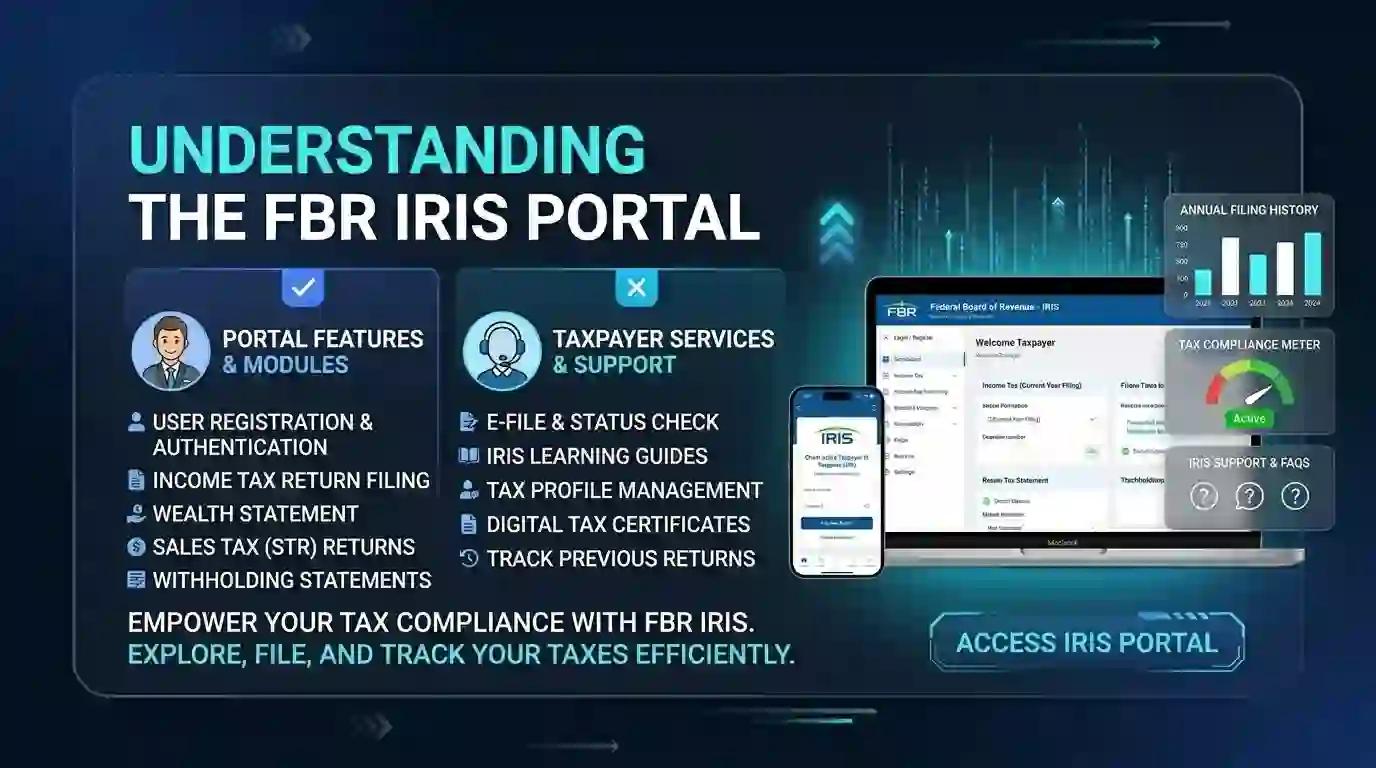
The FBR IRIS Portal is Pakistan's official online tax filing and management system operated by the Federal Board of Revenue (FBR). IRIS stands for Integrated Revenue Information System. It was developed by PRAL — Pakistan Revenue Automation Limited — and represents FBR's most significant step toward digital e-governance tax services in Pakistan.
Think of the IRIS portal as your personal tax dashboard. From registering as a new taxpayer and getting your National Tax Number (NTN) to filing income tax returns, submitting wealth statements, making online payments, and even responding to FBR notices — everything is handled through this one centralised platform.
According to FBR statistics, over 3.5 million taxpayers now use the FBR online portal, with that number growing every month as more Pakistanis embrace e-filing.
What Is IRIS 2.0?
In 2024–2025, FBR launched IRIS 2.0 — an upgraded version of the portal featuring a more modern interface, faster processing speeds, improved mobile responsiveness, and enhanced security including multi-factor authentication (MFA). If you were using the old IRIS login system, IRIS 2.0 is now the active system at iris.fbr.gov.pk.
The key improvements in IRIS 2.0 include simplified return forms for salaried individuals, integrated e-payment systems, real-time tax liability calculation, and the Tax Asaan mobile app for filing on the go.
IRIS Portal vs eFBR Portal: What Is the Difference?
Many people confuse the eFBR portal (www.fbr.gov.pk) with the IRIS portal. They are not the same thing, and understanding the difference saves a lot of confusion.
eFBR is the main FBR website — an information and verification hub where you access general FBR content, downloadable forms, policy notifications, SROs, ATL checks, and links to other portals. It does not handle actual income tax return filing.
IRIS is where the real tax compliance happens. It is the dedicated filing platform where your returns are actually submitted, payments processed, and FBR notices received and responded to.
A simple rule to remember: when someone asks "which portal do I use for tax filing in Pakistan?" — the answer is always IRIS.
What Can You Do on the FBR IRIS Portal?
The IRIS portal covers the full lifecycle of tax compliance in Pakistan. Here is what the platform handles:
For individuals and salaried persons:
- E-enrollment and NTN registration online
- Income tax return filing using Form 114(I)
- Wealth statement filing using Form 116
- ATL (Active Taxpayer List) status verification
- PSID generation and online tax payment
- Downloading the tax acknowledgement slip
- Checking refund status
- Responding to FBR notices
For business owners and companies:
- Corporate income tax return filing
- Sales tax return filing
- Withholding tax statement submission
- Registration modification using Form 181
- Annual financial statements submission
- Communication with the Federal Board of Revenue
For freelancers:
- NTN registration and active filer status maintenance
- Income declaration from foreign clients
- Lower withholding tax rates on banking transactions by staying ATL-active
For overseas Pakistanis:
- Remote NTN registration and return filing
- Nil return submission for maintaining filer status
- Asset and wealth statement management
To understand how your filer status affects the taxes you pay on other transactions like vehicle registration and property purchases, read our guide on filer vs non-filer in Pakistan.
How to Register on the FBR IRIS Portal (E-Enrollment Guide)
E-enrollment on IRIS is the first and most important step. This is how you officially become a registered taxpayer in Pakistan and receive your NTN (National Tax Number).
For individuals, your 13-digit CNIC number is your NTN or registration number. For businesses, partnerships (AOP), or companies, a separate 7-digit NTN is issued after e-enrollment.
Documents and Information You Need Before Starting
Before you begin the IRIS registration process, keep these ready:
- Your 13-digit CNIC number (without dashes)
- A mobile number registered in your own name
- A personal email address
- Your employer's NTN (if salaried)
- Business address and activity (if registering as a business)
- A computer or smartphone with internet access
Step-by-Step IRIS Registration Process
Step 1: Open your browser and go to iris.fbr.gov.pk — the official IRIS portal. Do not use links shared on WhatsApp or social media. Always go directly to the official URL.
Step 2: Click on "New Registration" on the homepage. This opens the e-enrollment form.
Step 3: Fill in your CNIC number, name, date of birth, mobile number, and email address. FBR will send an OTP to your registered mobile number to verify your identity.
Step 4: Enter the OTP received and complete the form with your address and taxpayer category (individual, AOP, or company).
Step 5: Submit the form. Your NTN is generated immediately upon successful submission. You will receive login credentials — your CNIC as username and a system-generated password — via email and SMS.
Step 6: Log in with your credentials and change your password immediately. You will also set a 4-digit PIN which is required for submitting returns later.
The entire IRIS registration process takes 10–15 minutes. Your NTN certificate can be downloaded directly from the IRIS portal under the Taxpayer Profile section. Your ATL (Active Taxpayer List) status updates within 24–48 hours after your first return is successfully filed.
One important note: the IRIS portal and all its services are completely free. If anyone asks for payment to register you on IRIS, they are not legitimate.
How to Login to iris.fbr.gov.pk
Once registered, logging into the IRIS portal is straightforward.
Step 1: Go to iris.fbr.gov.pk in your browser.
Step 2: Enter your CNIC number (13 digits, without dashes — for example 3520212345678, not 35202-1234567-8) or your NTN if you are a business taxpayer.
Step 3: Enter your password. Make sure there are no extra spaces before or after it.
Step 4: Complete the multi-factor authentication (MFA) if prompted.
Step 5: Your IRIS dashboard will appear, showing your inbox, declarations, payment options, and profile settings.
Forgot Your IRIS Password?
Click "Forgot Password" on the login page. Enter your CNIC or NTN and your registered mobile number. A reset link is sent to your registered email. If you no longer have access to your registered email or mobile number, contact the FBR helpline at 051-111-772-772 for assistance.
Note: FBR temporarily suspended QR code-based login for security reasons. Use your NTN and password directly.
How to File an Income Tax Return on FBR IRIS: Step-by-Step Guide
This is the section most people come here for. Here is exactly how to file your income tax return on the IRIS portal — whether you are a salaried person, a freelancer, or a business owner.
For Salaried Persons — Using Form 114(I)
FBR has simplified the filing process for salaried individuals through Form 114(I). This form is available if your salary income is more than 50% of your total income.
Step 1: Log in to your IRIS account at iris.fbr.gov.pk.
Step 2: From the left panel, click "Declaration" and select "Returns/Statements (Original)" then "Normal Return."
Step 3: Select the relevant tax year. For Tax Year 2026 filing, select TY 2025 (covering income from July 2024 to June 2025).
Step 4: Fill in your income details. For salaried individuals, you will need your salary certificate from your employer showing gross salary, deductions, and tax withheld. Enter your employer's NTN in the employer field.
Step 5: Add any additional income sources — rental income, profit on bank deposits, capital gains, freelancing income, etc.
Step 6: Enter your assets and liabilities in the Wealth Statement (Form 116). This step is mandatory and must balance correctly. If your current year's wealth has increased, the increase must equal your income minus your expenses. If this does not reconcile, IRIS will not allow you to submit your return.
Step 7: Add deductions — Zakat contributions, charitable donations, life insurance premiums, provident fund contributions, education expenses. These reduce your taxable income.
Step 8: Review your computed tax liability. IRIS automatically calculates the tax based on the current income tax slabs. For Tax Year 2025: income up to Rs. 600,000 is exempt; Rs. 600,001 to Rs. 1,200,000 attracts 5%; and so on progressively.
Step 9: If tax is payable, generate a PSID (Payment Slip ID) by going to the e-Payment section. Pay through mobile banking (HBL, Meezan, UBL, etc.), JazzCash, Easypaisa, 1-Link ATM, or at a bank counter using the PSID. Once payment is confirmed, return to IRIS and verify the payment status.
Step 10: Enter your 4-digit PIN and submit the return. Download your acknowledgement slip immediately. This slip is your proof of filing — you will need it for various official purposes.
Your return is successfully submitted when both the income tax return and wealth statement move from the "Draft" folder to "Completed Tasks" in your IRIS dashboard.
To calculate your exact income tax liability before filing, use the free FBR Tax Calculator Pakistan and Salary Tax Calculator at Free Calculators — both are updated for FY 2025–26.
For Freelancers
If you are a freelancer earning from foreign clients — on platforms like Upwork, Fiverr, or Toptal — you need to declare your foreign income in your IRIS return. Log in, go to Declaration, select the appropriate return form, and declare your foreign remittances under the relevant income head.
Staying on the Active Taxpayer List as a freelancer gives you significantly reduced withholding tax on bank transactions and other financial activities. Read our detailed guide on whether freelancers in Pakistan need to pay income tax for a full breakdown.
For Business Owners and AOPs
Business owners use the standard Declaration form for business income. You will need your Profit and Loss statement, balance sheet, and details of all assets and liabilities. Companies and AOPs have a separate income tax return deadline of December 31 each year.
Income Tax Return Deadline in Pakistan
The standard deadline for individuals and AOPs to file their income tax return in Pakistan is September 30 of each year. For companies and corporate entities, the deadline is typically December 31.
FBR frequently grants extensions — always check fbr.gov.pk for the latest deadline updates. Filing after the due date without an extension carries penalties under Section 114 of the Income Tax Ordinance 2001. It is far better to file a nil return — even if you have zero tax liability — than to remain outside the system entirely.
How to Check Your ATL Filer Status
Your Active Taxpayer List (ATL) status is what determines whether you are treated as a filer or non-filer in Pakistan. Being on the ATL reduces your withholding tax on banking transactions, property purchases, vehicle registrations, and dozens of other financial activities.
You can check your ATL status in three ways:
- Visit iris.fbr.gov.pk and check under your taxpayer profile
- Send an SMS — type "ATL (space) your 13-digit CNIC" and send to 9966
- Visit fbr.gov.pk and use the online ATL verification tool
The ATL is updated annually in March. If you have filed your return but your status has not updated, allow 2–4 weeks or call the FBR helpline at 051-111-772-772.
The financial impact of not being on the ATL is substantial. Non-filers pay double the withholding tax on vehicle registrations, property transfers, and banking transactions. For a detailed comparison of what filers and non-filers pay, see our guide on filer vs non-filer vehicle tax in Pakistan and our Pakistan Withholding Tax Calculator.
How to Pay Tax Online Through IRIS (PSID Guide)
Once your tax liability is calculated in IRIS, paying online is simple.
Step 1: In the IRIS dashboard, go to the e-Payment section and click "Create Payment."
Step 2: Select the payment type — Income Tax Annual Return, Advance Tax under Section 147, or whichever applies.
Step 3: Enter the tax amount and generate your PSID (Payment Slip ID). This is a unique 18-digit number tied to your payment.
Step 4: Pay using any of these methods:
- Mobile banking app (navigate to Government Payments → FBR → enter PSID)
- JazzCash or Easypaisa under Government Fees
- 1-Link ATM — select Bill Payment → FBR → enter PSID
- Over the counter at National Bank of Pakistan (NBP) or designated bank branches
Step 5: After payment, FBR automatically generates a CPR (Computerised Payment Receipt) in your IRIS account. This CPR is your legal proof of payment.
Return to IRIS, verify the payment status, then proceed to submit your return.
How to Respond to FBR Notices on IRIS
If FBR issues a notice under Section 114 requiring you to file a return, or any other compliance notice, it appears directly in your IRIS Inbox. Log in to iris.fbr.gov.pk, click on Inbox, and find the relevant notice. You can respond, upload documents, and track the status of your response all within the portal.
Ignoring FBR notices has serious consequences — including suspension of your ATL status, exposure to punitive non-filer withholding tax rates, and potential enforcement action. IRIS makes it straightforward to respond promptly and maintain compliance.
Common IRIS Portal Errors and How to Fix Them
IRIS login not working: Double-check that you are entering your CNIC without dashes. If your password is incorrect, use the Forgot Password option. Do not enter spaces before or after the password.
Return not submitting: IRIS flags incomplete mandatory fields before allowing submission. Check that your wealth statement reconciles correctly with your income and expenses.
ATL status not updated: File your return, wait 2–4 weeks, then recheck. If still unresolved, call FBR helpline 051-111-772-772.
"Transaction not allowed" error: This means FBR has already issued a Section 114 notice. Go to your Inbox, find the notice, and file under the notice instead of filing voluntarily.
IRIS portal slow or down: This typically occurs near the September 30 deadline when millions of taxpayers are filing simultaneously. Try filing during off-peak hours — early morning or late at night.
How to Use the Tax Asaan App for IRIS on Mobile
For taxpayers who prefer filing on a smartphone, the Tax Asaan app is FBR's official mobile interface for IRIS. It allows you to register, file simplified returns, check your ATL status, and generate payment challans directly from your phone — available for both Android and iOS.
The app is particularly useful for salaried individuals filing simple returns without complex assets or business income.
IRIS Portal for Overseas Pakistanis
Pakistan's tax system recognises its global diaspora. Overseas Pakistanis can register on IRIS remotely using their CNIC, file their annual income tax return, submit wealth statements, and maintain their active filer status — all without visiting Pakistan.
If you stay outside Pakistan for more than 183 days in a tax year, your foreign income is generally not taxable in Pakistan. However, filing a return still places you on the ATL and protects you from non-filer penalties on Pakistan-based assets and transactions.
You can also check your Pakistan income tax liability as a salaried person working abroad using our Income Tax Calculator — it is free and updated for FY 2025–26.
For those working in the UK, our guide on PAYE tax for Pakistanis working in the UK also provides relevant cross-border tax information.
Why Filing Through IRIS Is Non-Negotiable in 2025–26
FBR's enforcement posture has shifted dramatically. The Finance Act 2024 introduced tighter e-commerce taxation regulations, expanded punitive non-compliance measures, and launched targeted enforcement campaigns against high-earning non-filers identified through third-party data including NADRA records, bank accounts, utility bills, and property registrations.
The FASTER Refund System now processes automated sales tax refunds within 72 hours. The FBR Track and Trace system monitors production across major industries. Point of Sale (POS) integration is mandatory for tier-1 retailers. The net is tightening.
In this environment, staying compliant through IRIS is not just good practice — it is increasingly unavoidable. And the good news is that IRIS makes compliance genuinely easier than ever before. A salaried person can file their entire return, reconcile their wealth statement, pay any dues, and download their acknowledgement slip — all in under an hour, from home.
Before your next meeting with a tax consultant, make sure you know your actual tax liability. Use the free FBR Tax Calculator at Free Calculators to calculate your income tax in under 60 seconds. You can also cross-reference your withholding obligations using the Pakistan Withholding Tax Calculator — one of the most comprehensive free tools available for Pakistani taxpayers. For a broader look at why pre-calculating your tax is smart, read our guide on why you should calculate tax before meeting an accountant.
FAQs — FBR IRIS Portal Pakistan
What is the FBR IRIS portal in Pakistan? The FBR IRIS portal (Integrated Revenue Information System) at iris.fbr.gov.pk is Pakistan's official online tax management system. It handles NTN registration, income tax return filing, wealth statements, sales tax returns, FBR notices, and online tax payments — all in one platform managed by the Federal Board of Revenue.
How do I login to FBR IRIS portal? Go to iris.fbr.gov.pk. Enter your 13-digit CNIC number without dashes as your username, followed by your password. Complete multi-factor authentication if prompted. Your IRIS dashboard will appear. If you have forgotten your password, use the "Forgot Password" option on the login page.
Is the IRIS portal free to use in Pakistan? Yes, completely free. Registration, NTN issuance, return filing, and all IRIS services are provided at no cost by FBR. If anyone asks for payment to access IRIS or register you on the system, they are not legitimate. The portal at iris.fbr.gov.pk is the only official access point.
What is the income tax return deadline in Pakistan? The standard deadline for individuals and AOPs is September 30 each year. For companies, the deadline is typically December 31. FBR frequently grants extensions — always verify the current deadline at fbr.gov.pk before the due date.
What happens if I do not file my income tax return in Pakistan? Not filing exposes you to Section 114 notices from FBR, removal from the Active Taxpayer List, and double withholding tax rates on banking withdrawals, vehicle registrations, property purchases, and dozens of other financial transactions. FBR has significantly increased enforcement in 2025–26 using NADRA data and third-party financial records.
Can I file my own income tax return on IRIS without an accountant? Yes. Salaried individuals whose salary is more than 50% of total income can use the simplified Form 114(I) on IRIS and file their return entirely on their own. The entire process typically takes 45–60 minutes for a straightforward salary return. For complex returns involving business income, multiple assets, or foreign income, a professional advisor adds significant value.
Conclusion — The IRIS Portal Is Your Starting Point for Tax Compliance in Pakistan
The FBR IRIS portal has genuinely transformed tax compliance in Pakistan. What once required multiple visits to FBR offices, stacks of documents, and days of waiting can now be done from your phone or laptop in under an hour.
Whether you are a salaried employee in Lahore, a freelancer in Karachi, a business owner in Islamabad, or an overseas Pakistani managing assets back home — the IRIS portal at iris.fbr.gov.pk is where your tax compliance life begins and is maintained.
The key is to start. Register if you have not. File your return before September 30. Download your acknowledgement slip. Check your ATL status. And use the right tools to make sure you understand exactly what you owe before you pay a rupee.
Ready to take control of your taxes? Start with the free tools at Free Calculators — calculate your exact income tax liability with the FBR Tax Calculator, check your salary deductions with the Salary Tax Calculator, and understand your withholding obligations with the Pakistan Withholding Tax Calculator. All tools are free, updated for FY 2025–26, and built specifically for Pakistani taxpayers.
File smart. Stay compliant. Stay on the ATL.